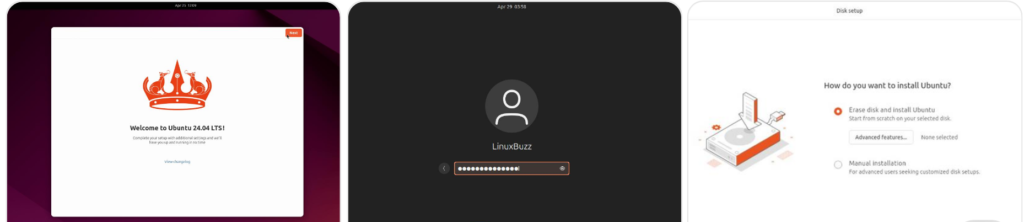
What is Ubuntu Desktop?
Ubuntu Desktop is a Linux-based operating system designed for personal computers such as laptops and desktops. It comes with a graphical user interface, which makes it easy to use without needing advanced technical knowledge.
The latest stable version is Ubuntu 24.04 LTS (Long Term Support). LTS versions are recommended because they receive updates and security patches for several years, making them ideal for both beginners and professionals.
When you install Ubuntu Desktop, it comes with essential applications already included, such as a web browser, office tools, media player, and system utilities. This means you can start using your system immediately after installation without installing additional software.
Ubuntu Desktop is mainly designed for personal use. If you are planning to run servers or cloud infrastructure, Ubuntu Server is a better choice because it is optimized for performance and does not include a graphical interface.
What is Ubuntu Linux?
Ubuntu Linux is an open-source operating system based on Debian. Being open source means it is free to use, modify, and distribute.
It is known for its stability, security, and flexibility. Ubuntu is used in a wide range of environments including personal computers, development systems, and cloud platforms.
One of the biggest advantages of Ubuntu is its large software repository. You can install thousands of applications easily using built-in tools.
Ubuntu is available in different editions depending on your use case:
- 1. Ubuntu Desktop for personal use
- 2 . Ubuntu Server for servers and cloud environments
Because of its strong ecosystem and regular updates, Ubuntu has become one of the most trusted Linux distributions in the world.
Why is Ubuntu So Popular?
Ubuntu has gained popularity over the years for several strong reasons.
Ease of Use
Ubuntu is designed to be beginner-friendly. The interface is clean and easy to navigate, even for users who are switching from Windows or macOS.
The installation process is straightforward, and most essential applications are already pre-installed. This reduces the effort required to set up a new system.
Stability and Reliability
Ubuntu is known for its stability. Once installed, it runs smoothly without frequent crashes or performance issues.
This makes it a reliable choice not only for personal use but also for professional environments.
Large Community and Support
Ubuntu has a large and active community of users and developers. If you face any issue, you can easily find solutions through forums, documentation, and tutorials.
Regular updates and community support ensure that the system stays secure and up to date.
Who Can Use Ubuntu?
Ubuntu is suitable for a wide range of users depending on their needs.
Home Users
Ubuntu is a great option for individuals looking for a free, secure, and lightweight operating system for everyday use such as browsing, watching videos, and working with documents.
Developers
Ubuntu is widely used by developers because it supports many programming languages, tools, and development environments. It is especially useful for web development, cloud computing, and DevOps.
Students and Educational Institutions
Ubuntu is commonly used in schools and universities because it is cost-effective and easy to maintain. It also works well on older hardware, making it a practical choice for educational setups.
Requirements Before Installing Ubuntu
Before starting the installation process, make sure your system meets the basic requirements.
- Minimum 4 GB RAM (8 GB recommended)
- At least 25 GB free storage
- A USB drive with at least 8 GB capacity
- Stable internet connection (optional but recommended)
For better performance, using a laptop or PC with an SSD is highly recommended.
Step 1: Download Ubuntu ISO File
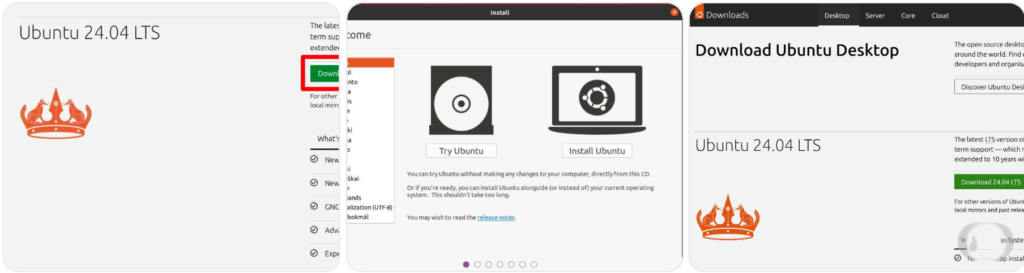
Visit the official Ubuntu website and download the latest Ubuntu 24.04 LTS ISO file.
The file size is usually around 4 to 5 GB, so make sure you have a stable internet connection.